
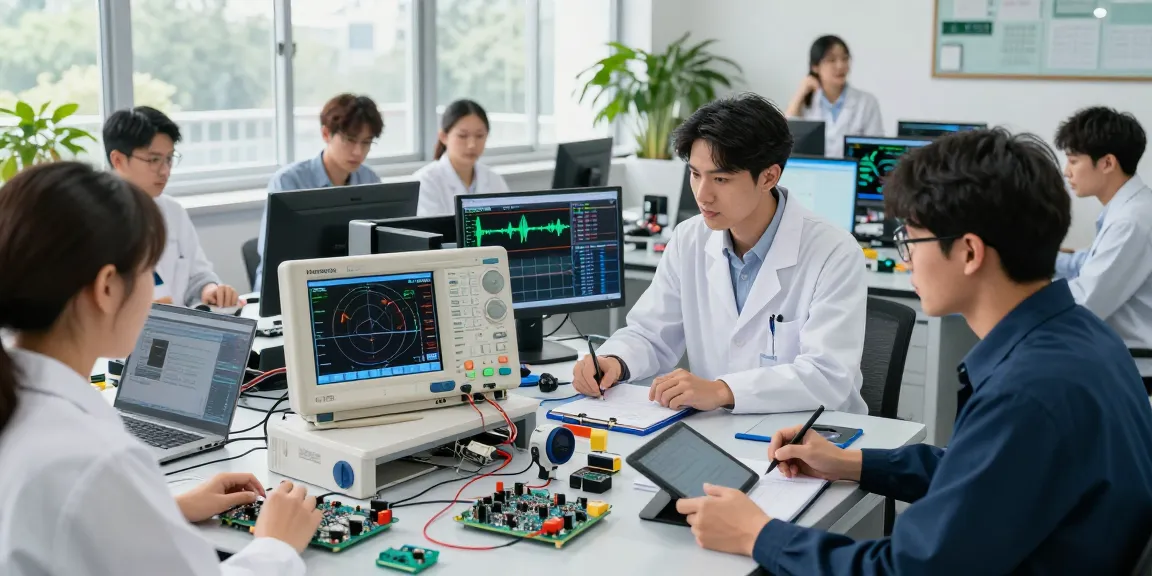
Understanding the Touchscreen Oscilloscope
In the dynamic world of electronics, the integration of advanced technologies has significantly reshaped how engineers and enthusiasts approach signal testing and analysis. The Touchscreen oscilloscope, smart oscilloscope stands out as a pivotal tool, combining user-friendly interfaces with powerful analytical capabilities. This article delves into the specifics of the Hanmatek AHO814, a 4-channel smart oscilloscope that promises precision and ease of use for a variety of applications.
What is a Smart Oscilloscope?
A smart oscilloscope, such as the Hanmatek AHO814, is a sophisticated electronic instrument that allows users to visualize and measure electrical signals. Unlike traditional oscilloscopes, which often rely on physical knobs and buttons, smart oscilloscopes feature touchscreens and advanced software capabilities. This results in a more intuitive user experience, making it easier to perform complex tasks such as signal analysis, waveform capture, and troubleshooting.
Key Features of the AHO814
The Hanmatek AHO814 is designed with a plethora of features tailored for both professionals and hobbyists:
- Bandwidth: 100MHz bandwidth enables the accurate capture of a wide range of signals.
- Sampling Rate: Achieving a sampling rate of 1.25GSa/s allows for high-resolution waveform representation.
- Memory Depth: With 50Mpts memory per channel, users can capture long-duration signals without losing detail.
- Display: A 7-inch TFT-LCD touchscreen provides a clear and interactive interface for real-time analysis.
- Connectivity: The oscilloscope supports WiFi and LAN connectivity, facilitating remote access and data sharing.
- Multi-functionality: It integrates a signal generator and an RMS multimeter, offering comprehensive testing capabilities.
Benefits of Touchscreen Technology
The implementation of touchscreen technology in oscilloscopes has revolutionised how users interact with these devices. The AHO814’s multi-touch capacitive screen not only allows for more natural navigation but also supports custom shortcuts, enhancing efficiency and workflow. Users can quickly switch between functions, zoom into waveforms, and adjust settings with ease, making complex measurements more accessible.
How to Use the Hanmatek AHO814
Using the Hanmatek AHO814 smart oscilloscope involves a few straightforward steps, from setup and calibration to basic operations and advanced functionalities. Understanding these steps is essential for maximising the potential of this advanced tool.
Getting Started: Setup and Calibration
To get started with the Hanmatek AHO814, first ensure that the device is properly connected to a power source. Key initial steps include:
- Connect the oscilloscope probes to the test points in your circuit.
- Power on the device and select the desired channel for measurement.
- Calibrate the vertical and horizontal scales according to the expected signal levels.
It is important to perform a calibration check to ensure accuracy, especially when measuring sensitive signals.
Basic Operation and Controls
The interface is designed with user-friendliness in mind. Users can control the oscilloscope through intuitive gestures on the touchscreen. Key operations include:
- Waveform Capture: Select the capturing mode (Single, Run, or Stop) to begin monitoring waveforms.
- Measurement Functions: Use built-in measurement tools to analyse voltage, frequency, and rise time, among others.
- Trigger Settings: Adjust the trigger settings to stabilise waveforms for clearer viewing.
Advanced Functions and Features
The Hanmatek AHO814 is equipped with numerous advanced features that enhance its functionality:
- Decoding Capabilities: It supports hardware decoding for protocols such as UART, SPI, and I2C.
- Math Functions: Perform mathematical operations like addition and subtraction on waveforms for in-depth analysis.
- FFT Analysis: Conduct Fast Fourier Transform analysis for frequency-domain insights.
Common Challenges and Troubleshooting
While using the Hanmatek AHO814, users may encounter common issues. Understanding these challenges and knowing how to troubleshoot can significantly improve your workflow.
Identifying Common Issues
Some frequent obstacles include:
- Inconsistent waveform displays:
- Inaccurate measurements due to improper grounding or connections;
- Software glitches leading to unresponsive controls.
Step-by-Step Troubleshooting Guide
To resolve common issues effectively:
- Check all connections to ensure proper grounding and contact.
- Restart the oscilloscope to reset unresponsive controls.
- Verify the settings for any selected measurements to ensure they’re configured correctly.
Best Practices for Signal Analysis
To ensure accurate measurements and effective signal analysis, consider these best practices:
- Always use the appropriate oscilloscope probe for the signal levels you expect.
- Regularly calibrate the device before use.
- Utilise the device’s extensive measurement functions to gain deeper insights.
Real-World Applications of Smart Oscilloscopes
The versatility of the Hanmatek AHO814 makes it suitable for various applications across different fields. From engineering to education, the oscilloscope proves invaluable for signal analysis and troubleshooting.
Use Cases in Engineering and R&D
In the engineering field, smart oscilloscopes are crucial for:
- Testing and debugging electronic circuits;
- Measuring high-frequency signals in communication systems;
- Evaluating power supply stability and transient response.
Educational Applications for Students and Educators
In academic settings, the AHO814 serves as an excellent teaching tool. Its user-friendly interface allows students to:
- Visualise and understand complex concepts in electronics;
- Gain hands-on experience with real-time signal analysis;
- Conduct experiments that require precise measurements.
Industry-Specific Examples of Effective Usage
Beyond traditional applications, industries such as automotive and telecommunications benefit from smart oscilloscopes:
- Automotive engineers use oscilloscopes to diagnose issues in control systems.
- Telecom professionals rely on signal analysis for system performance testing.
The Future of Smart Oscilloscopes
As technology continues to advance, smart oscilloscopes are evolving with emerging trends that enhance their capabilities and applications. Let’s discuss what lies ahead.
Emerging Trends and Innovations for 2026
By 2026, innovations in software and hardware design are expected to improve measurement accuracy and expand the functionalities of oscilloscopes:
- Integration of machine learning algorithms for predictive analysis;
- Enhanced connectivity features, allowing seamless data sharing and remote diagnostics;
- Advanced user interfaces that custom-tailor the measurement experience.
Predictions for Touchscreen Technology in Electronics
The future of touchscreen technology will likely focus on increasing responsiveness and adding tactile feedback features, enabling users to engage with devices like those used in mobile technology.
Preparing for Future Developments in Signal Analysis
Addressing the evolving needs of the industry, manufacturers will prioritise:
- User-centric designs that accommodate both novice and expert users;
- Cloud-based resources for data storage and analysis;
- Security measures to protect sensitive data during transmission.
What are the advantages of using a smart oscilloscope?
Smart oscilloscopes offer several advantages, including enhanced user interfaces, multi-functional capabilities, and increased accuracy in measurements, making them indispensable for modern electronics development.
Can I connect the Hanmatek AHO814 to a PC?
Yes, the AHO814 can be easily connected to a PC via LAN or USB, facilitating data transfer and advanced analyses using compatible software.
What types of signals can the oscilloscope measure?
The oscilloscope is capable of measuring both AC and DC signals, making it versatile for various applications, including audio frequencies and digital signals.
Is there lifetime support available for the AHO814?
Yes, customers can enjoy lifetime technical support when purchasing the Hanmatek AHO814, ensuring assistance with any product-related inquiries.
How do I update the software on the oscilloscope?
Software updates for the Hanmatek AHO814 can typically be performed through the device’s settings menu, where users can find download options for the latest firmware.